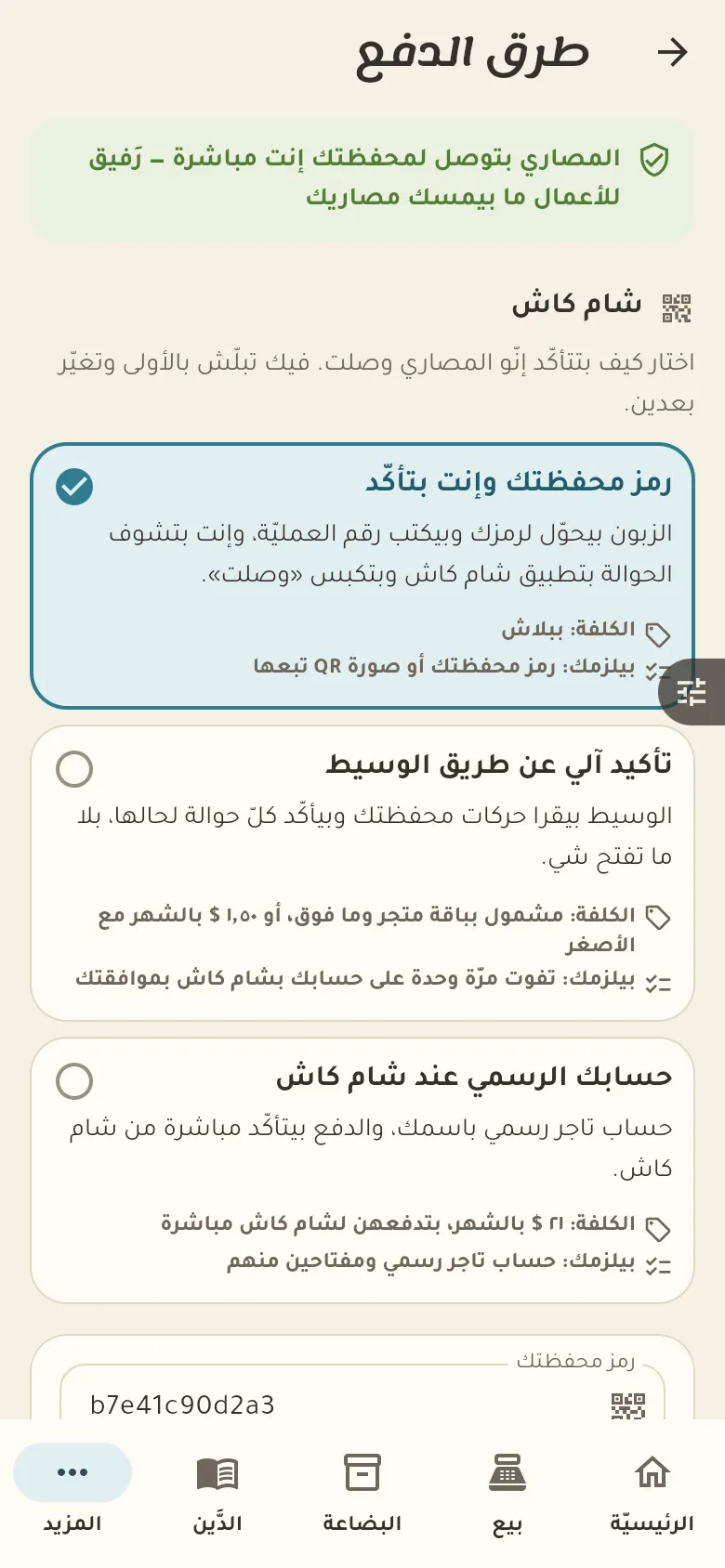
Choose how customers pay on your shop page: ShamCash, cash on delivery, or credit. You decide what's offered, and you confirm every payment before it counts.
13 chapters · 1 step
Pick up where you left off:
Step by step
Press any step (or scroll) and the phone shows its screen.
A screenshot taken automatically from the app
Common questions
How do I turn on ShamCash?
From «More → Payment methods» enter your ShamCash wallet code and switch it on. After that ShamCash appears as an option for customers on your shop page.
How does a customer pay with a manual receipt?
The customer transfers the amount to your wallet, then uploads the receipt photo and the transaction number on the order page. You review it and confirm the payment.
How do I offer cash on delivery?
From «More → Payment methods» switch on «Cash on delivery». Your customers will see the option when ordering, and the order is marked paid when you receive the money.
How do I make sure the payment arrived?
Open your wallet and compare the amount and transaction number with what the customer sent, then tap «Confirm payment» on the order. A payment isn't counted, and the order isn't prepared, before you confirm.
On a computer or in the browserIf your phone is not at hand, open Rafeeq Business in the browser and sign in with the same number: the same cashier and the same steps.