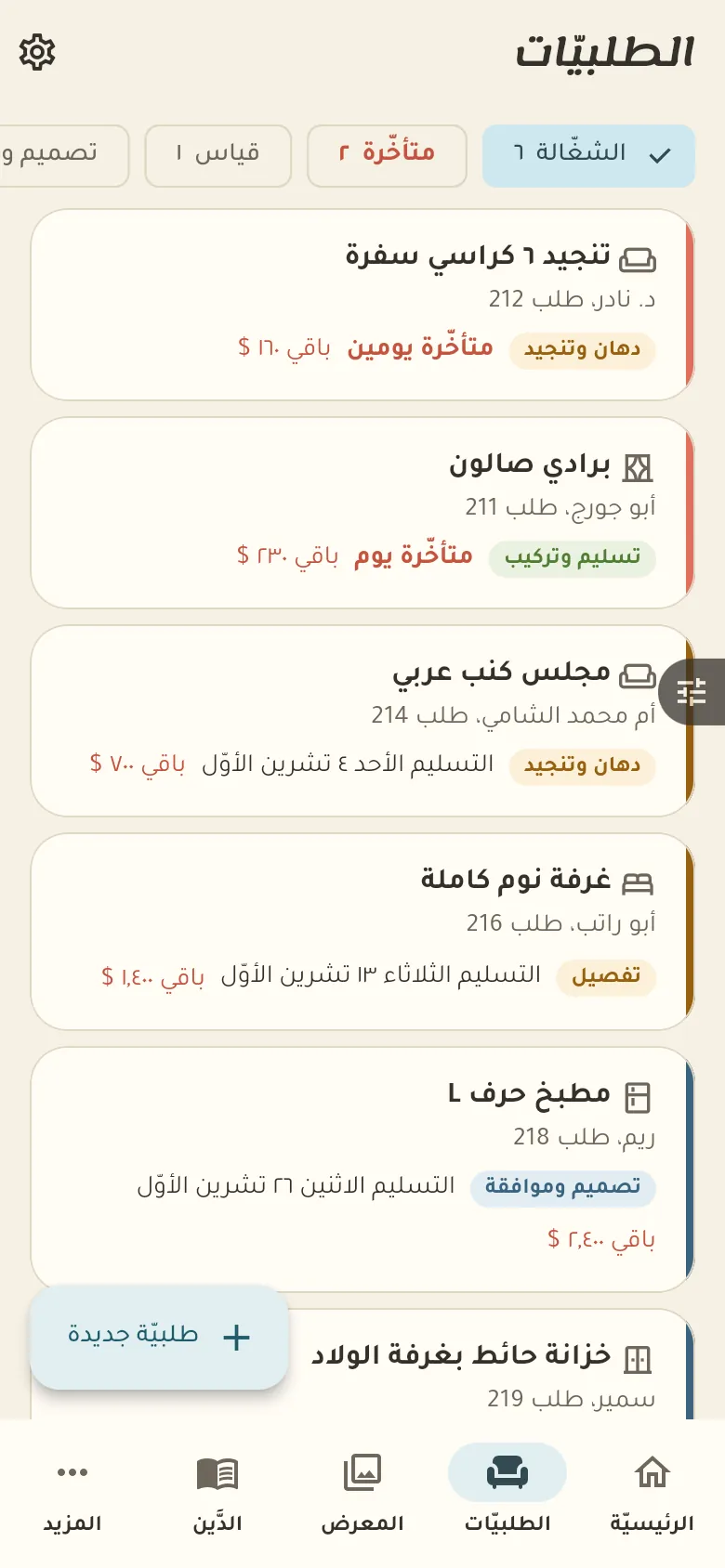
Every order with its stage, its delivery date and what the customer still owes.
14 days free · Every feature open · works offlineNot a generic accounting program. Every screen is made for what happens in this business every day.
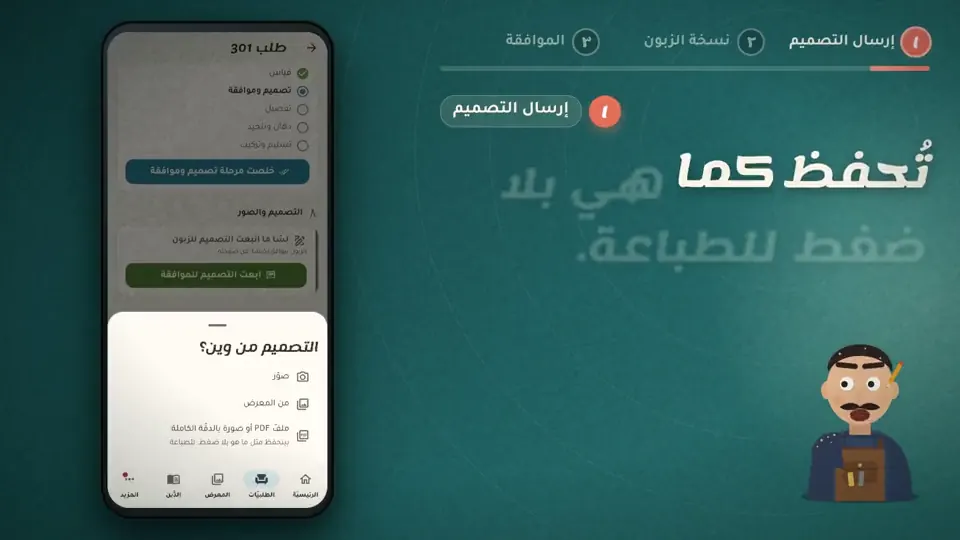
Each order has its measurements, materials, price, deposit and stages from measuring to delivery. You add design photos and the customer approves them before you start building.
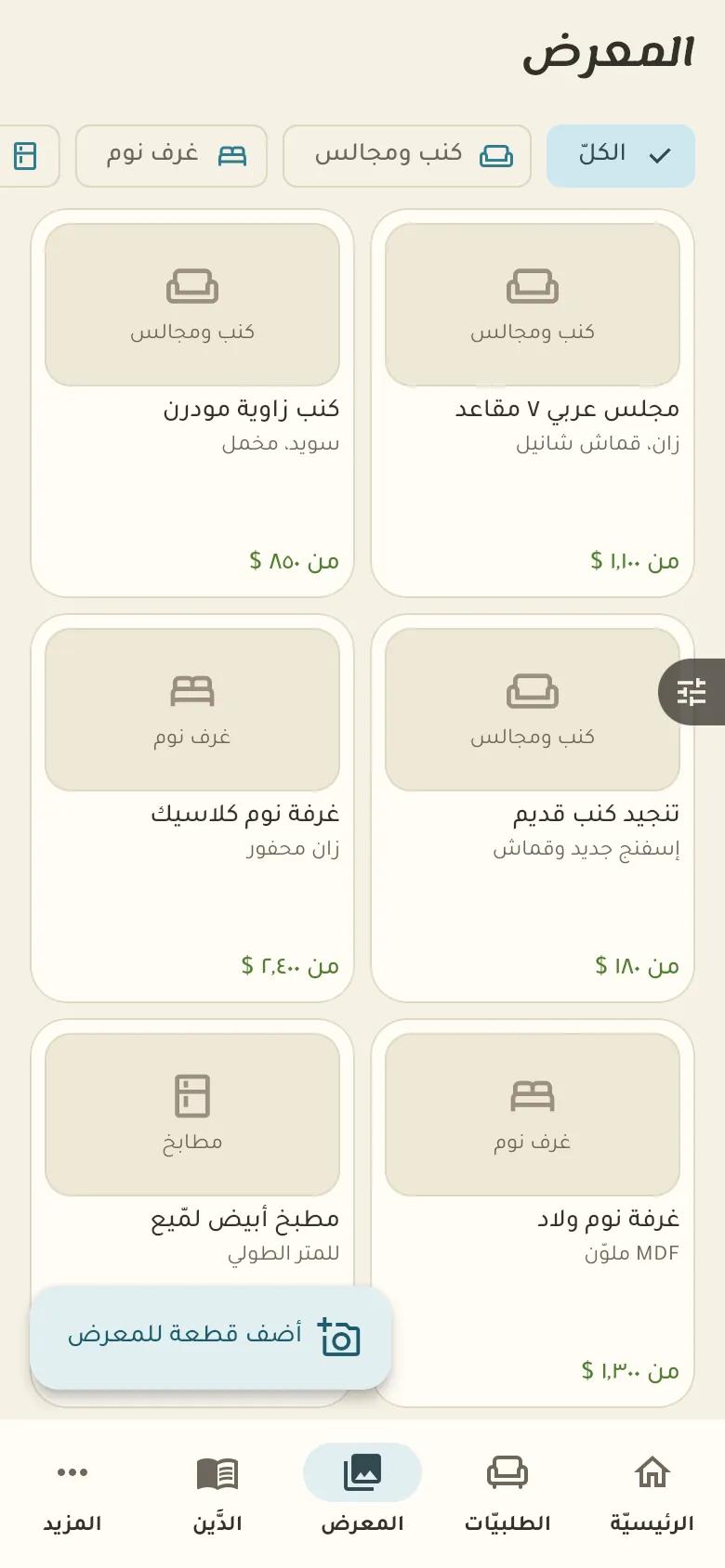
Your gallery collects photos of your work with rough prices. Customers choose from it, and on your shop page they see your work before they visit you.
This is your home screen: a summary of your day. The bar at the bottom moves you between the sections of your shop, and «More» at its end opens everything else.
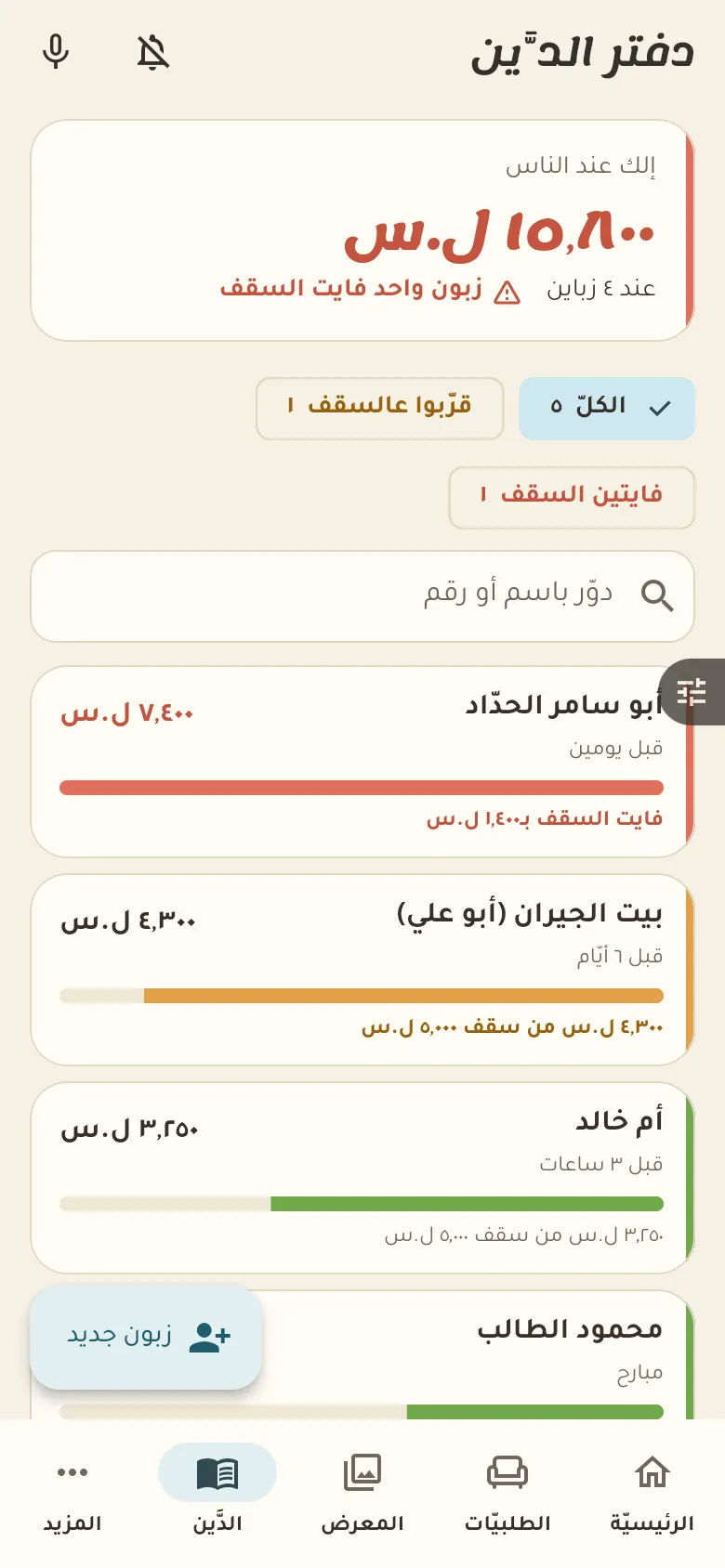
This is the credit book: who owes how much, and their last movement. The owner sets a limit for each customer; Rafeeq warns you as they near it, and past the limit a credit sale needs approval.
11 chapters; jump to any of them.
Every feature open. Then pick the plan that suits you, or carry on with the free one.
Get the app and startIn the order tap «Measurements» and type the length, width and height of each part, or choose the unit in Settings. They stay attached to the order and the customer's file.
Add the design photos to the order and send the customer the tracking link. They view them and tap «Approve» or write their notes, and you continue after their approval.
From «More → Settings» change the default deposit percentage and it's suggested on every new order. You can adjust it for a particular order.
Yes. Sell and record debts with no network; everything syncs by itself when it returns.
Your data is yours: no ads and no data selling. The privacy page explains what we collect and for how long, and you can delete your account at any time.
