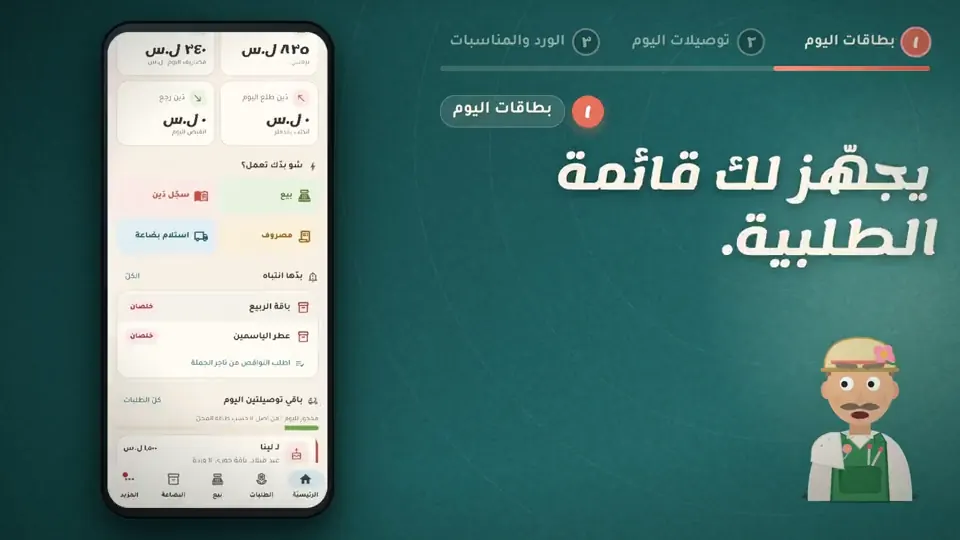
Occasion orders and delivery with their date, message and payment status.
14 days free · Every feature open · works offlineNot a generic accounting program. Every screen is made for what happens in this business every day.
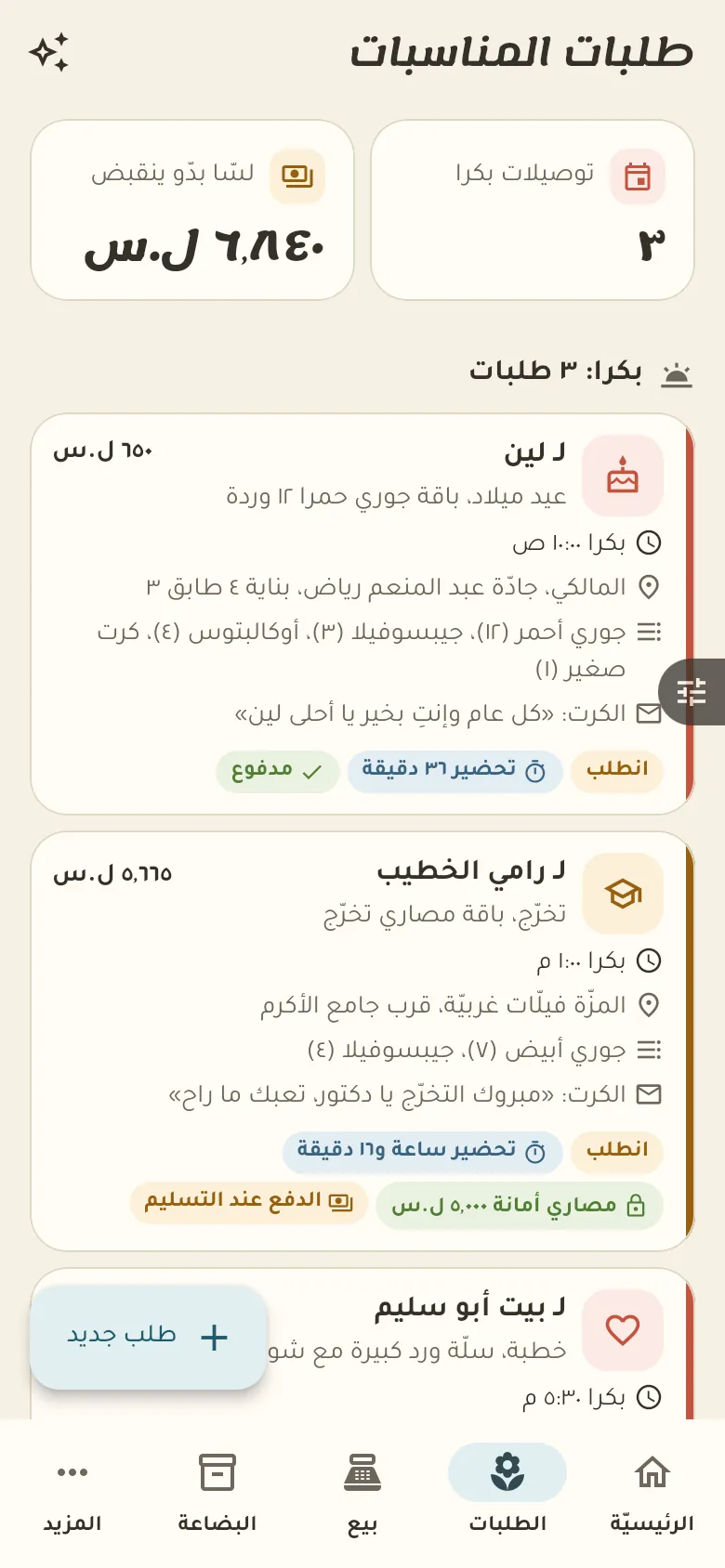
Here are the bouquet and gift orders sorted by delivery time. Open an order to see its details, deposit and status, and move it from «Preparing» to «Delivered».
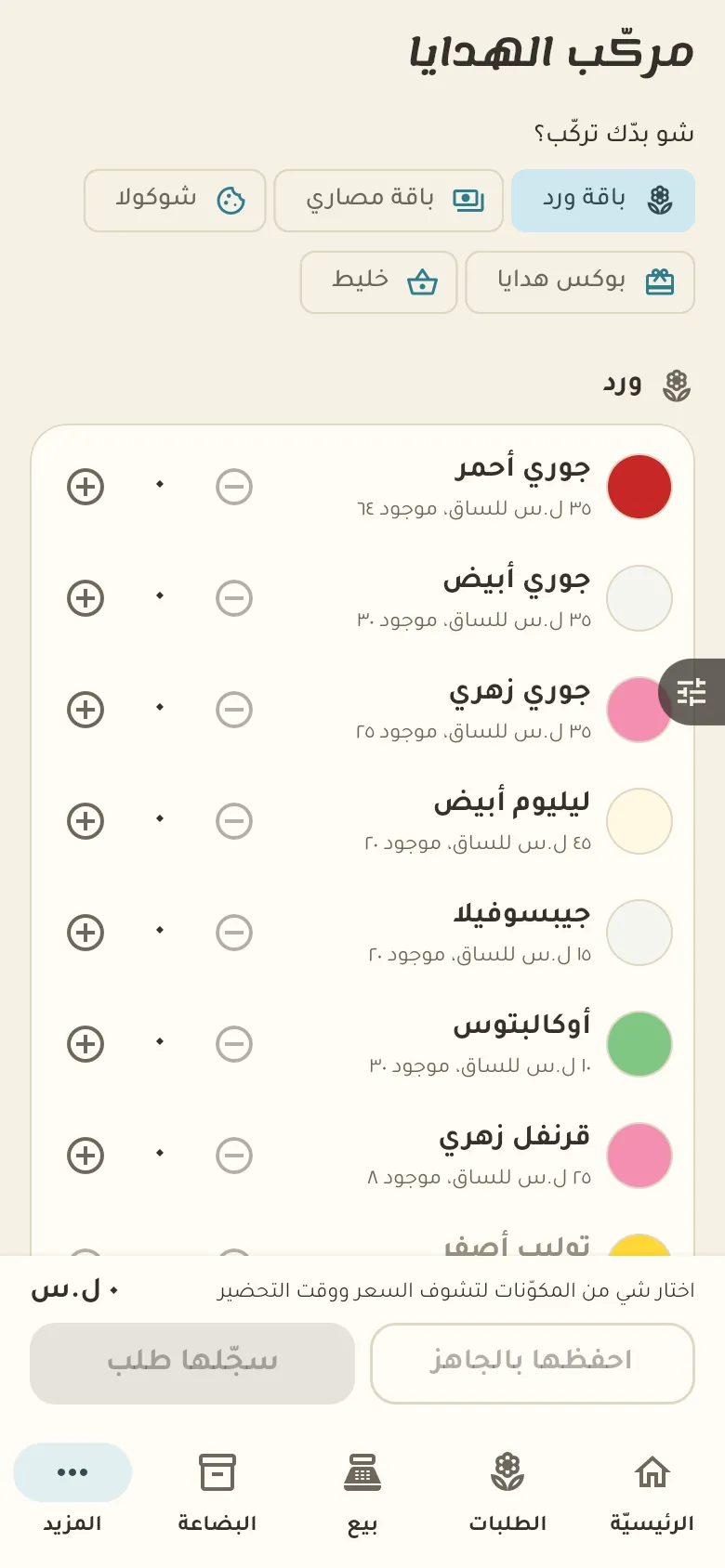
Let's design your first bouquet now. Type its name, pick the flowers and wrapping in it, and set its selling price.
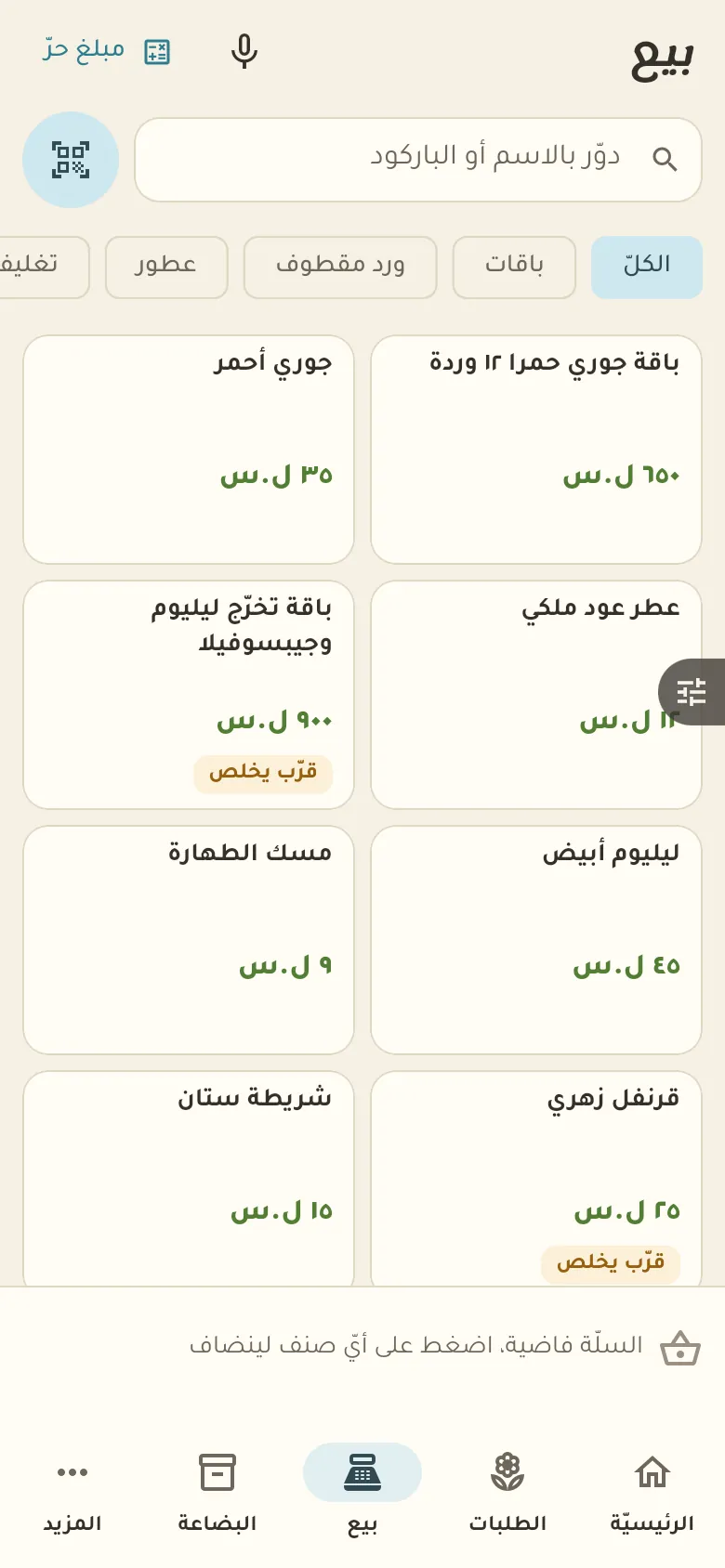
For a direct sale open «Sell», pick the item then «Pay». For advance orders (bouquets and gifts) take a deposit and record it on the order.
This is your home screen: a summary of your day. The bar at the bottom moves you between the sections of your shop, and «More» at its end opens everything else.
11 chapters; jump to any of them.
Every feature open. Then pick the plan that suits you, or carry on with the free one.
Get the app and startOpen the bouquet and tap «Recipe», then add the materials and the amount of each. Once saved, the materials are deducted automatically with every sale.
Open the order, tap «Payment» and enter the deposit amount. The remainder stays visible on the order and you collect it at delivery.
Record the perfume as a large bottle with its volume, and in the filling recipe set the millilitres per small bottle. When a bottle is sold its volume comes off the large one.
Yes. Sell and record debts with no network; everything syncs by itself when it returns.
Your data is yours: no ads and no data selling. The privacy page explains what we collect and for how long, and you can delete your account at any time.
